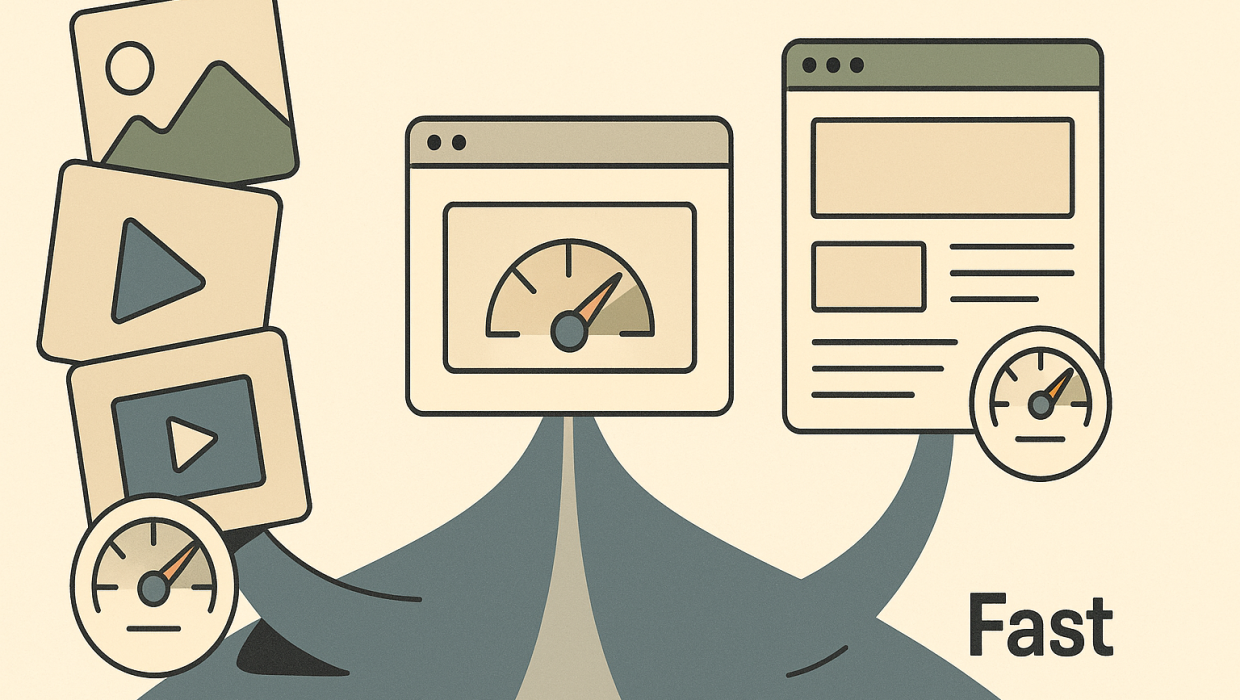
There’s a persistent myth in corporate web development that you have to choose between a beautiful website and a fast one — that every rich interaction, high-resolution image, or custom animation comes at the cost of load time. It’s a false choice, and it’s an expensive one to believe. Website speed optimization isn’t about stripping your site down to bare HTML and a single font. It’s about engineering discipline: knowing exactly what’s slowing a page down, and fixing that without touching the elements that make your brand recognizable and credible.
For B2B decision-makers — CTOs weighing infrastructure costs, marketing directors defending brand equity, agency owners managing client expectations — this distinction matters enormously. A slow website doesn’t just frustrate visitors; it quietly erodes pipeline, search rankings, and the perception of competence your company has spent years building. And a website that’s fast but visually generic undermines the very positioning it’s supposed to support. The real objective is both, simultaneously. Here’s how to get there.
The real objective is both, simultaneously.
Why Speed Is a Business Metric, Not a Technical One
Before getting into tactics, it’s worth reframing what site speed actually represents. Google’s Core Web Vitals — Largest Contentful Paint, Interaction to Next Paint, and Cumulative Layout Shift — aren’t abstract engineering benchmarks. They’re proxies for a human experience: does this page feel responsive, stable, and trustworthy within the first few seconds?
Research from Google and independent studies has repeatedly shown that conversion rates drop sharply as load time increases past two or three seconds, and that bounce rates climb even faster on mobile connections. For a B2B company where a single enterprise deal might be worth six or seven figures, a few seconds of latency on a product page or a gated resource can be the difference between a captured lead and an abandoned session. This is where web performance enhancement intersects directly with revenue, not just user experience scores.
It’s also a credibility signal. A prospective enterprise client evaluating your company as a potential vendor is, consciously or not, judging your technical competence by how your own website performs. If you’re pitching digital transformation, automation, or software expertise and your site stutters loading a hero image, that’s a contradiction prospects notice.
The Diagnosis-Before-Build Mistake Most Agencies Skip
Here’s where most speed initiatives go wrong before they even start: teams jump straight to solutions. They compress a few images, install a caching plugin, maybe switch hosting providers, and call it optimized. But without first diagnosing where the actual bottlenecks live — render-blocking scripts, bloated third-party tags, unoptimized fonts, inefficient server responses, poorly structured code — these fixes often address symptoms rather than causes.
A proper performance audit should map every element contributing to load time: the size and format of visual assets, the number and origin of third-party scripts (chat widgets, analytics pixels, marketing tags), the efficiency of your CSS and JavaScript delivery, your hosting and CDN configuration, and your database or CMS query performance if the site is dynamic. Only once that map exists does it make sense to prioritize fixes — because the highest-impact changes are rarely the most obvious ones. This diagnostic-first approach is central to how we think about every web development engagement, because building on top of an undiagnosed problem just buries it deeper into the architecture.
What a Real Speed Audit Actually Measures
A thorough audit typically evaluates:
- Asset weight — total page size, with particular attention to images, video, and custom fonts.
- Script execution — how many scripts block rendering, and which third-party tools are adding latency without proportional value.
- Server response time (Time to First Byte) — often overlooked, but critical, especially for sites still running on shared or legacy hosting.
- Rendering stability — whether elements shift around as the page loads, which hurts both user experience and Cumulative Layout Shift scores.
- Mobile performance specifically — since B2B buyers increasingly research vendors from phones between meetings, not just at a desktop.
Where Design and Speed Actually Collide — and Where They Don’t
The tension between design and performance is real, but it’s narrower than most teams assume. The actual culprits behind slow corporate websites are rarely the design decisions themselves — they’re the lazy implementation of those decisions.
Images and video. A hero video or high-resolution photography doesn’t have to tank load time if it’s properly compressed, served in modern formats like WebP or AVIF, and lazy-loaded so it only downloads as a visitor scrolls to it. The design intent survives; the byte count doesn’t.
Custom fonts. Brand typography is often one of the most distinctive elements of corporate web design, and it’s also a common performance drag when multiple font weights and families are loaded unnecessarily. Subsetting fonts and using modern font-display strategies preserves the visual identity while cutting load weight significantly.
Animations and interactions. Smooth micro-interactions signal polish, but poorly coded animations can trigger layout shifts and consume processing power. The fix isn’t removing the animation — it’s rebuilding it using hardware-accelerated CSS properties instead of JavaScript-heavy approaches.
Third-party embeds. Marketing teams love adding chat tools, scheduling widgets, review badges, and tracking pixels. Individually, each seems harmless. Collectively, they’re often the single largest contributor to a slow site, and they have nothing to do with design at all. Auditing and consolidating these tools is usually one of the fastest wins available.
The pattern here is consistent: speed problems are almost always implementation problems, not design problems. That’s good news, because it means the solution isn’t a visual compromise — it’s better engineering underneath the same creative vision.
Infrastructure Choices That Quietly Determine Everything
Design and code optimization only go so far if the underlying infrastructure is working against you. For B2B website development specifically, a few infrastructure decisions tend to have outsized impact:
Hosting and CDN architecture. A content delivery network that serves assets from locations geographically close to your visitors can cut load times dramatically, especially for companies with international buyers. Pairing this with modern hosting that supports HTTP/2 or HTTP/3 compounds the benefit.
CMS and framework choice. Legacy content management systems carry years of accumulated plugins, scripts, and technical debt. Sometimes the most effective speed intervention isn’t optimization at all — it’s a rebuild on a leaner, more modern framework. This is a bigger decision, and it’s one worth evaluating honestly rather than endlessly patching an aging platform.
Caching strategy. Proper browser and server-side caching means returning visitors — often your highest-intent prospects doing a second or third look before a buying decision — get near-instant load times.
These infrastructure questions also tend to surface adjacent opportunities. A company auditing its site performance often discovers related gaps in IT infrastructure or realizes its marketing stack could benefit from tighter automation between the site and internal systems. Performance work rarely stays isolated once you start looking closely.
The SEO Connection Nobody Should Ignore
Site speed isn’t just a conversion lever — it’s a visibility lever. Google has incorporated Core Web Vitals into ranking signals for years, and as search behavior shifts toward AI-driven answer engines, page experience signals matter even more, because these systems favor sources that load reliably and deliver content without friction. A technically sound, fast-loading site is foundational to effective search visibility work — no amount of content strategy or schema markup compensates for a site that search crawlers and users alike find sluggish.
This is also where the business case for speed becomes easiest to make internally. If a CFO or CEO is skeptical about investing in technical performance work, framing it as an SEO and lead generation issue — rather than a purely technical one — tends to resonate. Slow sites rank lower, convert less, and quietly cost more in paid acquisition to compensate for organic underperformance.
Measuring Progress the Right Way
Speed work should be measured against concrete benchmarks, not vague impressions of “it feels faster.” Track Core Web Vitals through Google Search Console and PageSpeed Insights, monitor real-user metrics if your analytics stack supports it, and set specific targets — for example, Largest Contentful Paint under 2.5 seconds and Cumulative Layout Shift under 0.1. Revisit these numbers quarterly, because new content, new scripts, and platform updates can erode performance gains over time if nobody’s watching.
Bringing It Together
The companies that get this right treat speed and design as a single engineering problem rather than competing priorities. They audit before they rebuild, they fix root causes instead of symptoms, and they understand that the real objective is both, simultaneously — a site that looks like the sophisticated, credible company it represents, and loads fast enough to prove it. We’ve approached this exact challenge across dozens of client engagements, and the pattern holds: performance gains almost always come from implementation discipline, not design sacrifice.
If your corporate site is carrying years of accumulated scripts, legacy plugins, or unoptimized media, the fastest path forward isn’t guessing at fixes — it’s a proper diagnostic. Our web development team starts every performance engagement there, because you can’t responsibly fix what you haven’t actually measured. When you’re ready to see what’s really happening under the hood of your site, let’s talk about what a real audit would uncover.
RELATED QUESTIONS
Does making a website faster mean it has to look less polished?
No — slow load times are almost always caused by implementation issues like unoptimized images, excessive third-party scripts, or inefficient code, not by the design itself. Properly compressed media, efficient fonts, and clean animation code can preserve a sophisticated visual identity while dramatically improving speed. The real fix is better engineering underneath the design, not removing design elements.
How fast should a corporate website load?
Most performance experts recommend targeting a Largest Contentful Paint under 2.5 seconds, which aligns with Google’s Core Web Vitals thresholds for a good user experience. Conversion rates and bounce rates both tend to worsen significantly once load time passes the two to three second mark, especially on mobile devices. These benchmarks should be checked quarterly since new content and scripts can erode performance over time.
Why is website speed important for B2B companies specifically?
B2B buying decisions often involve large deal sizes and multiple stakeholders researching a vendor before ever speaking to sales, so a slow or glitchy website can quietly damage credibility at a critical evaluation stage. Site speed also directly affects search rankings and paid acquisition costs, meaning poor performance compounds into both lost trust and higher marketing spend. For companies selling technical expertise, a sluggish website can even contradict the competence they’re trying to demonstrate.
What’s the first step in improving website performance?
The first step should always be a diagnostic audit, not an immediate fix — mapping exactly which elements are slowing the site down, such as render-blocking scripts, oversized images, inefficient hosting, or excessive third-party tags. Jumping straight to solutions like image compression or plugin installs without this diagnosis often treats symptoms rather than root causes. A proper audit prioritizes fixes based on actual impact, which saves both time and budget.
Does site speed actually affect SEO rankings?
Yes, Google has included Core Web Vitals as a ranking factor for several years, and page experience signals are becoming even more important as AI-driven answer engines favor sources that load reliably. A technically fast site is foundational to broader SEO and content strategy work, since no amount of optimized content fully compensates for a sluggish user experience. Improving speed is therefore both a conversion and a visibility investment.
Ready to Diagnose What's Slowing Your Site Down?
Start a conversation with Sapiens + Machines to discuss your goals, challenges, and next steps.